Create / Edit Bank
The Create / Edit Bank section allows you to add new bank entries to the system.
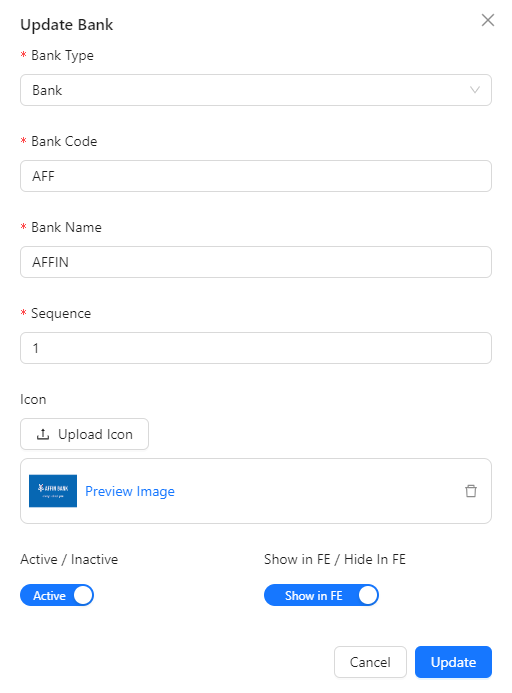
- Bank Type Identified Bank belong to normal bank or e-wallet
- Bank Code: Unique code associated with each bank.
- Bank Name: The name of the bank.
- Sequence: Determines the order in which banks are presented when a player creates their customer bank account on the Front End. This sequence controls the display order.
- Bank Icon: The icon of the bank that require to upload.
- Active / Inactive: Indicates the activation status of the bank.
- Show in FE: If the bank is active, it will be visible to players when creating their customer bank account.