Create / Edit Cash Transfer
The Create / Edit Cash Transfer section allows you to transfer the cash between the merchant bank in the system.
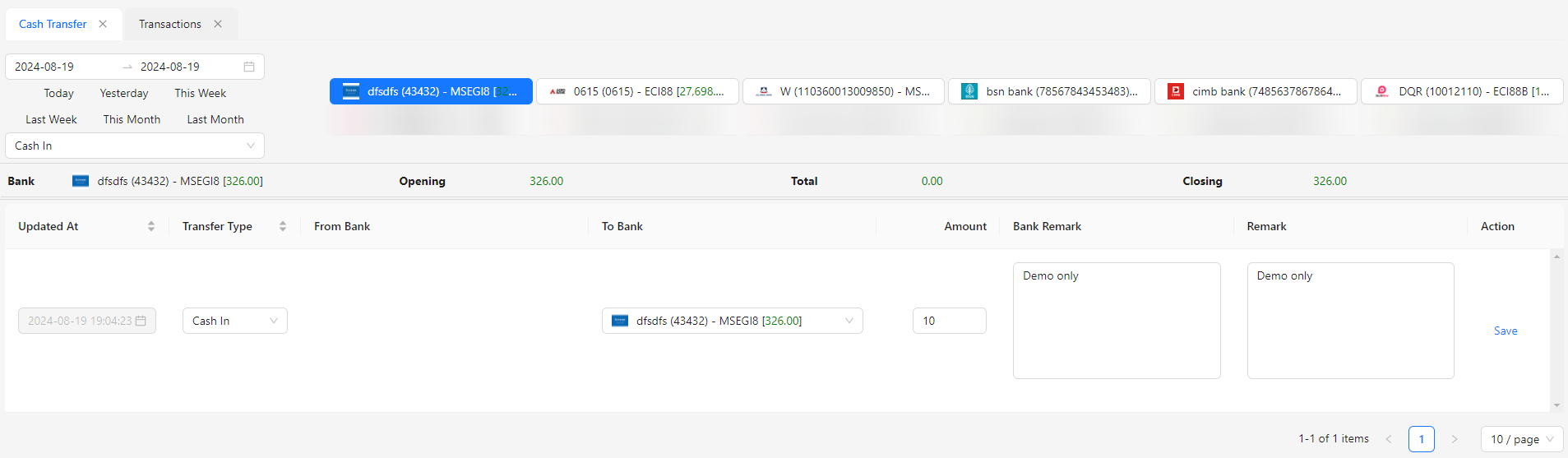
- Updated At: This field is automatically set to the current date and time and is disabled.
- Transfer Type: Select the type of cash transfer, such as Cash In, Cash Out, or Intercompany.
- From Bank: Choose the merchant bank from which the funds are being transferred.
- To Bank: Select the merchant bank to which the funds are being transferred.
- Amount: Enter the total amount of the cash transfer.
- Bank Remark: Provide any notes or remarks related to the bank involved in the transfer.
- Remark: Add additional comments or details about the cash transfer.