Check Mission Eligible
The Check Mission Eligible section allows you to create unclaim record.
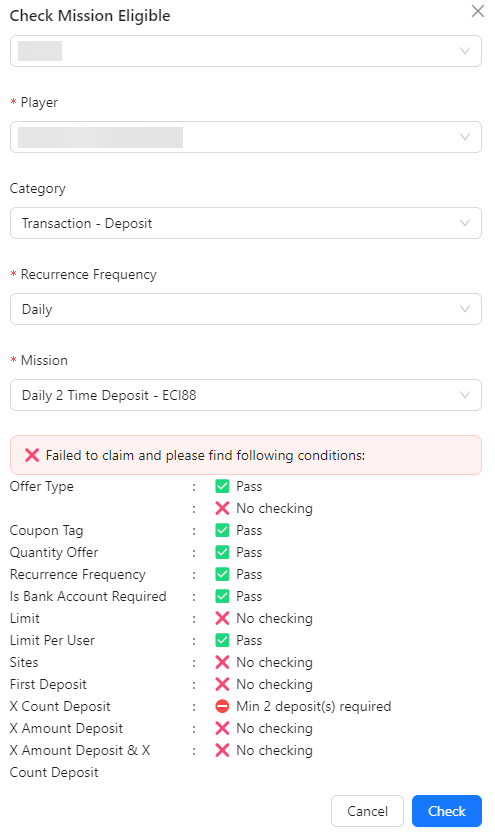
- Sites: Select the site associated with the mission.
- Player: Choose the player whose mission eligibility you want to check.
- Category: Select the mission category. This will filter the Mission field to show only relevant missions.
- Recurrence Frequency: Choose the frequency of the mission (e.g., daily, weekly, monthly).
- Mission: The mission listing will be filtered based on the selected category, allowing you to select the appropriate mission.
- Check Button: Click the "Check" button to initiate the eligibility check.