Send Mail
The Send section allows you to send mail to players.

- Sites: Select the site associated with the mailbox. This must be chosen first to enable the next options.
- Mailbox: Choose the specific mailbox you wish to use.
- To All Players?: This option is enabled by default (switch). When activated, the mail will be sent to all players.
Disable To All Player?
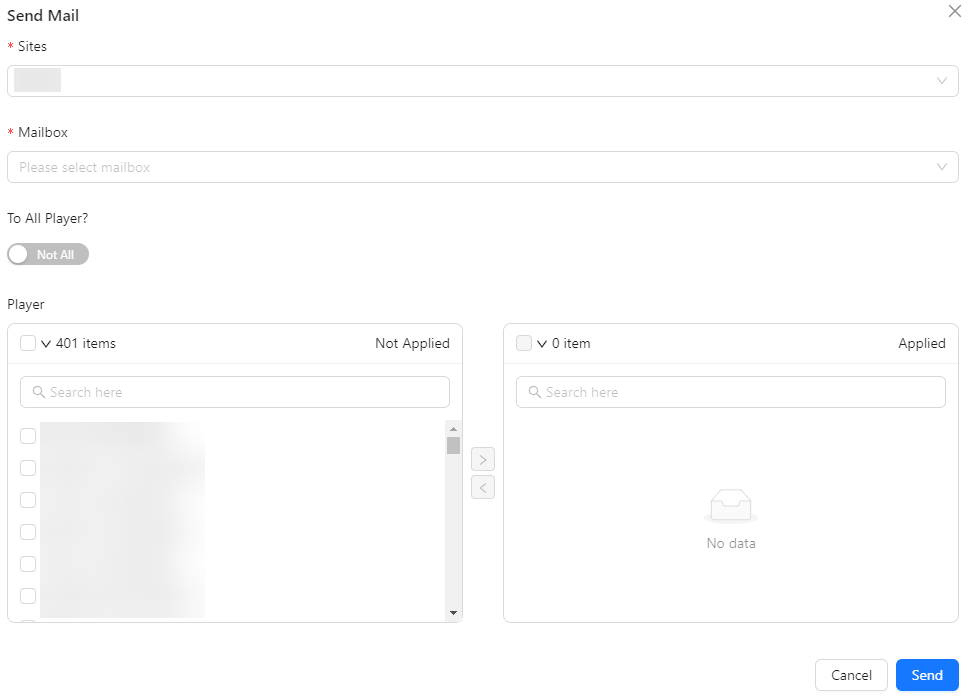
- Player: If the "To All Players?" option is disabled, a field will appear for you to select specific players to receive the mail. This field becomes available only after selecting a site.