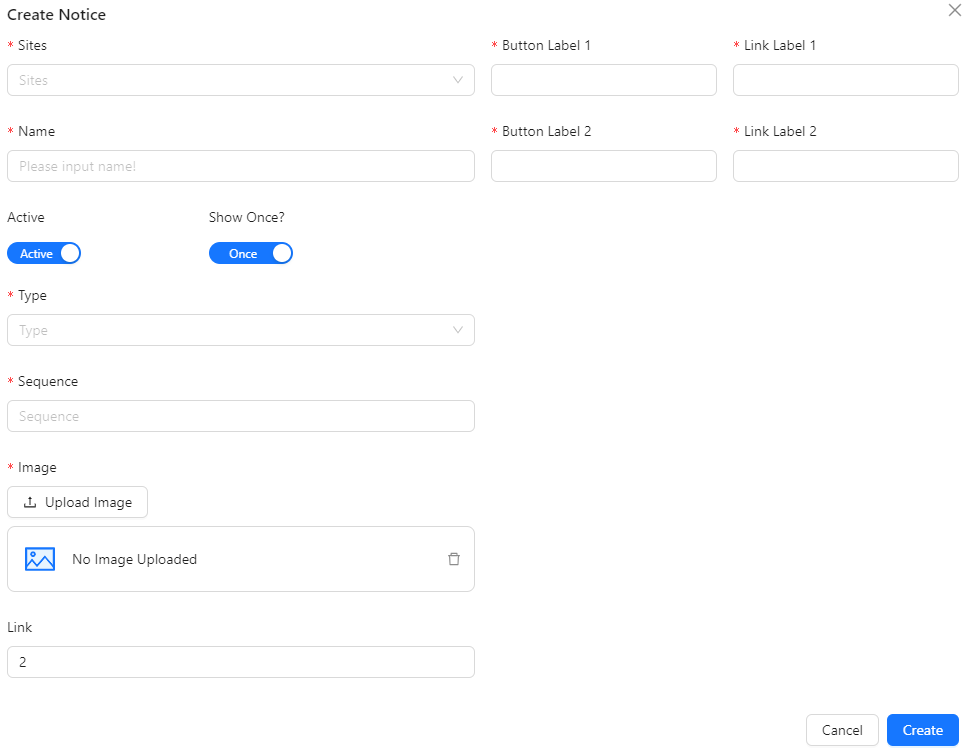
Create / Edit Notices
The Create / Edit Notices section allows you to add new notice to the system.
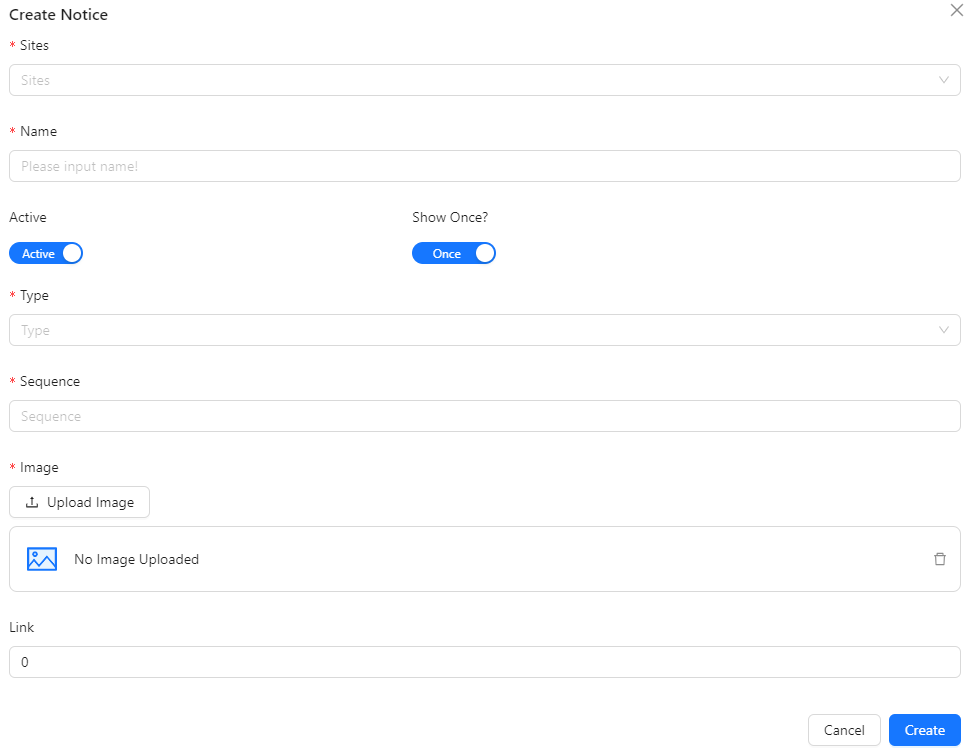
- Sites: Select the site or platform where the notice will be displayed.
- Name: Enter the name or title of the notice.
- Active: Set whether the notice is active or inactive.
- Show Once?: Indicate if the notice should be shown only once to each user.
- Type: Choose the type of notice, either static or popup.
- Sequence: Specify the order in which the notice should appear.
- Image: Upload an image associated with the notice.
- Link: Set the number of popup-type notices, ranging from 0 to 9 (default is 0). Based on the number set, additional fields will appear:
- Button Label 1 and Link Label 1 for 1 popup.
- Button Label 1, Button Label 2, Link Label 1, and Link Label 2 for 2 popups.
Sample if set Link = 2