View Report
The View Report section provides an overview of all main report in the system.
Toolbar

- Select Site: Enables users to choose a site and filter the reports accordingly.
- Date Picker: Allows users to filter all reports by selecting a specific date range.
- Export Excel: Allows users to export the report as an individual Excel file, providing an easy way to download and analyze the data offline.
Listing
Dashboard Report
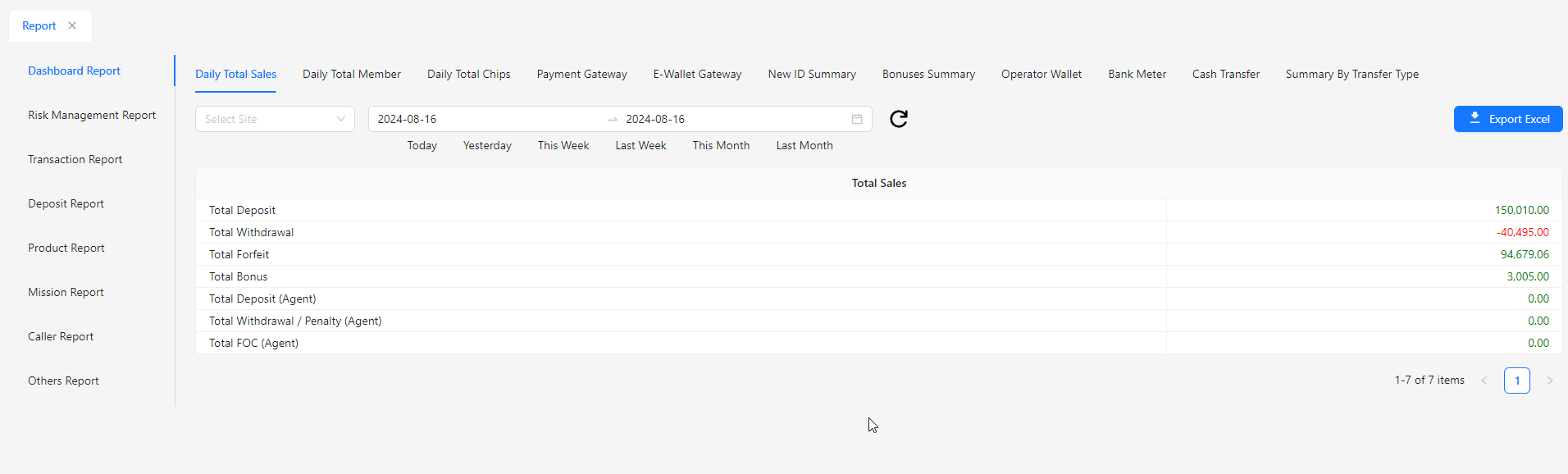
- Total Sales: Provides an overview of the aggregate sales figures, helping to track overall revenue.
- Total Member: Displays the total number of registered members, useful for monitoring membership growth.
- Payment Gateway: Shows detailed information on transactions processed through the payment gateway.
- Ewallet Gateway: Provides insights into transactions and balances related to the eWallet system.
- Bank Meter: Monitors activities and balances related to bank transactions, offering a snapshot of financial status.
- Operator Wallet: Tracks the balance and transactions within the operator’s wallet for effective fund management.
- Cash Transfer: Details the cash transfer activities, including both incoming and outgoing transactions.
- Summary By Transfer Type: Summarizes transactions categorized by different transfer types for a clearer understanding of financial flows.
Risk Management Report
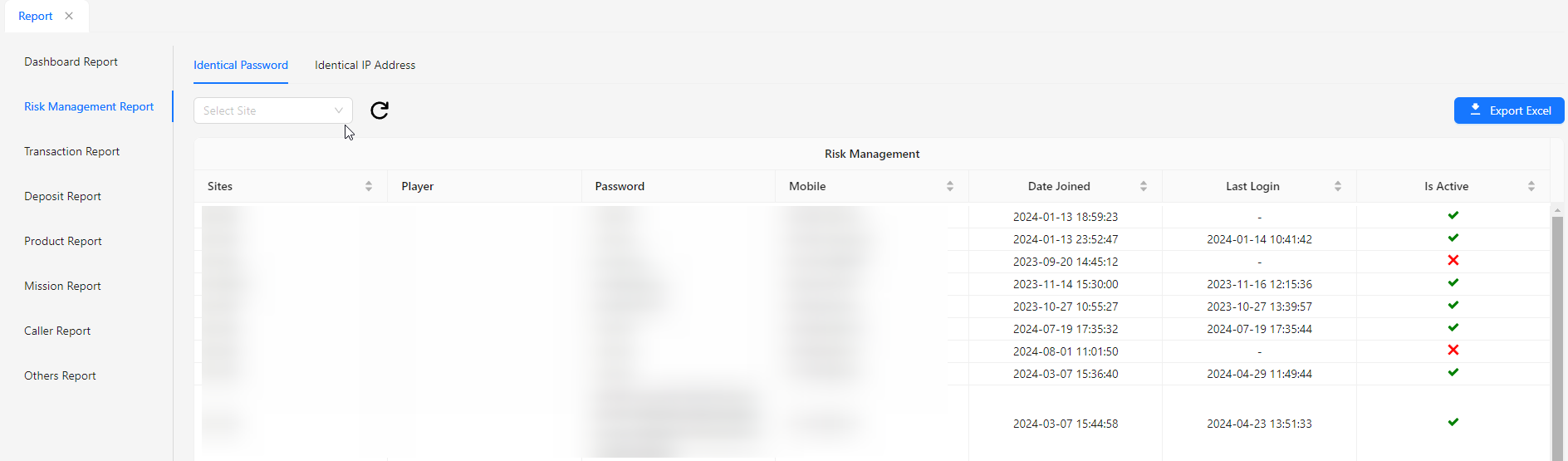
- Identical Password: Indicates whether multiple accounts are using the same password, highlighting potential security concerns.
- Identical IP Address: Shows if multiple accounts are accessing the system from the same IP address, which may indicate unusual activity or shared network usage.
Transaction Report
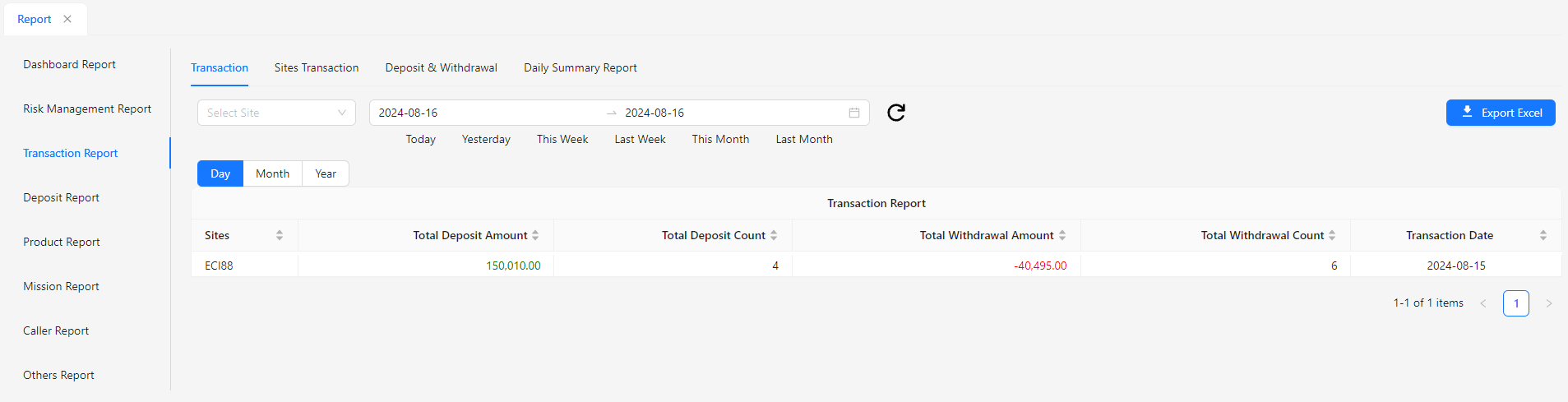
- Transaction: Provides detailed information on individual transactions within the system, including transaction type, amount, and status.
- Site Transaction: Shows transactions specific to a selected site, allowing for site-specific financial tracking and management.
- Deposit & Withdrawal: Displays details of deposit and withdrawal activities, including amounts and timestamps, to monitor cash flow.
- Daily Summary Report: Summarizes key metrics and transactions for each day, offering an overview of daily financial activities and performance.
Deposit Report
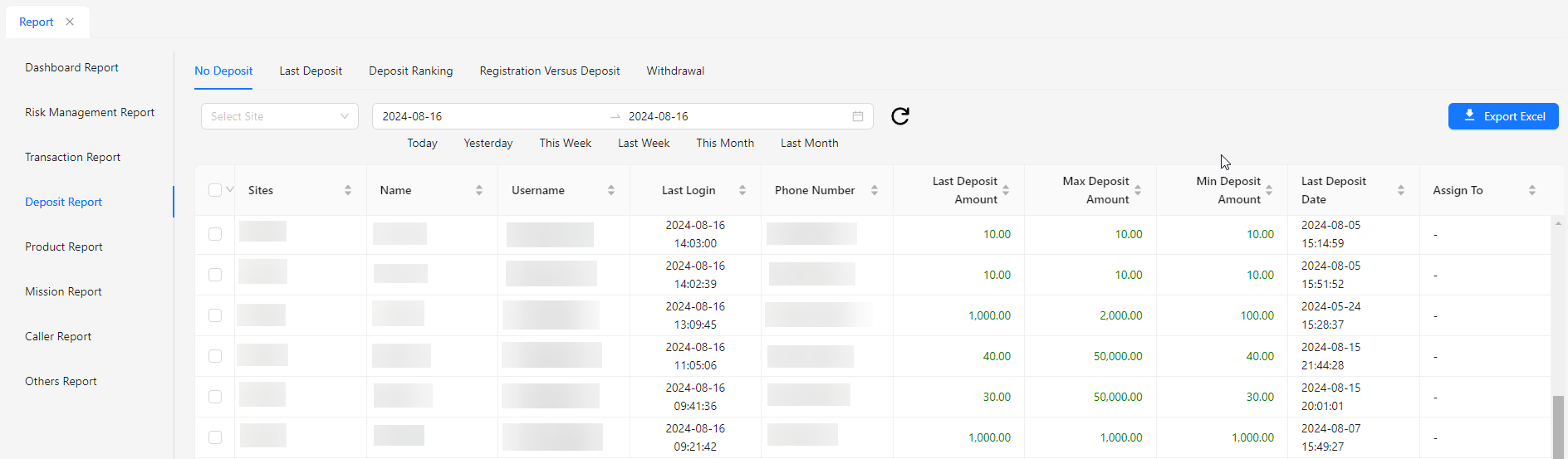
- No Deposit: Indicates accounts or periods where no deposit transactions have occurred, highlighting potential issues or inactivity.
- Last Deposit: Shows the most recent deposit transaction, including details such as amount and date, to track recent financial activity.
- Deposit Ranking: Ranks accounts or transactions based on deposit amounts, providing insights into the highest depositors or transaction volumes.
- Registration Versus Deposit: Compares the number of registrations with deposit activities, helping to analyze the correlation between user sign-ups and their financial contributions.
- Withdrawal: Provides details on withdrawal transactions, including amounts and timestamps, to monitor and manage cash outflows.
Product Report
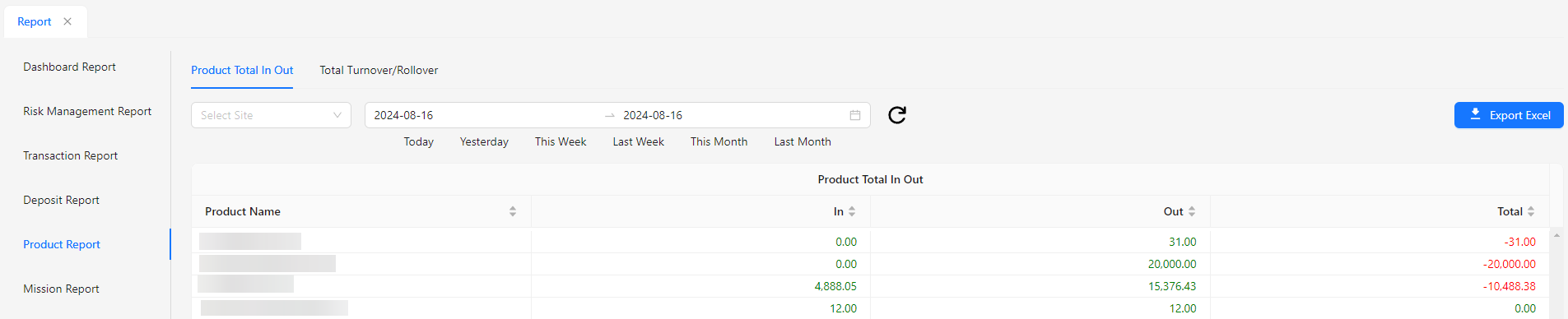
- Product Total In Out: Shows the total amount of products or assets entering and leaving the system, providing an overview of inventory or asset movement.
- Total Turnover/Rollover: Displays the total turnover or rollover amount, reflecting the overall volume of transactions or activities within a specified period.
Mission Report
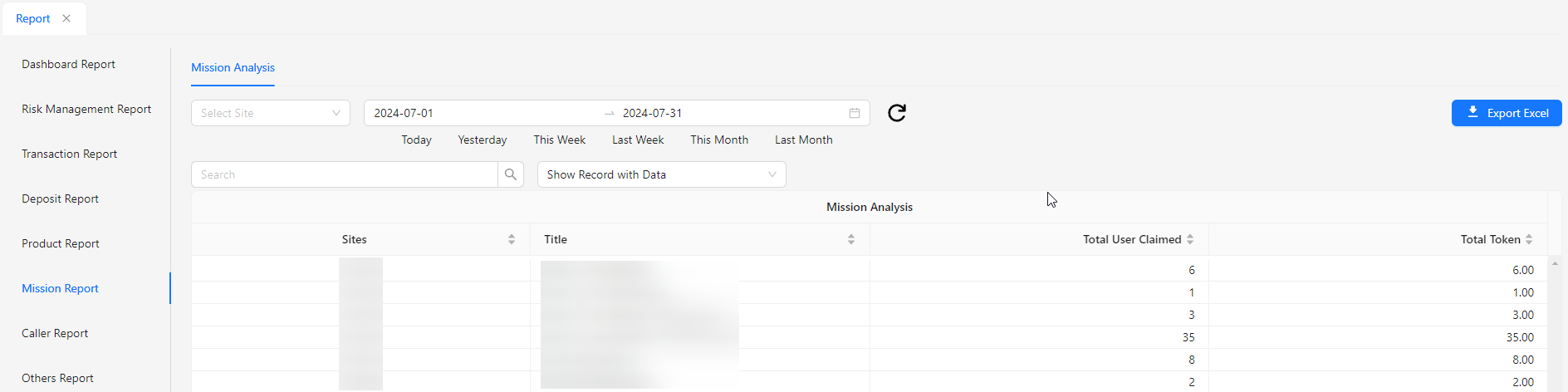
- Mission Analysis: Provides an in-depth review and evaluation of mission-related data, including performance metrics, objectives, and outcomes, to assess effectiveness and guide future strategies.
Caller Report
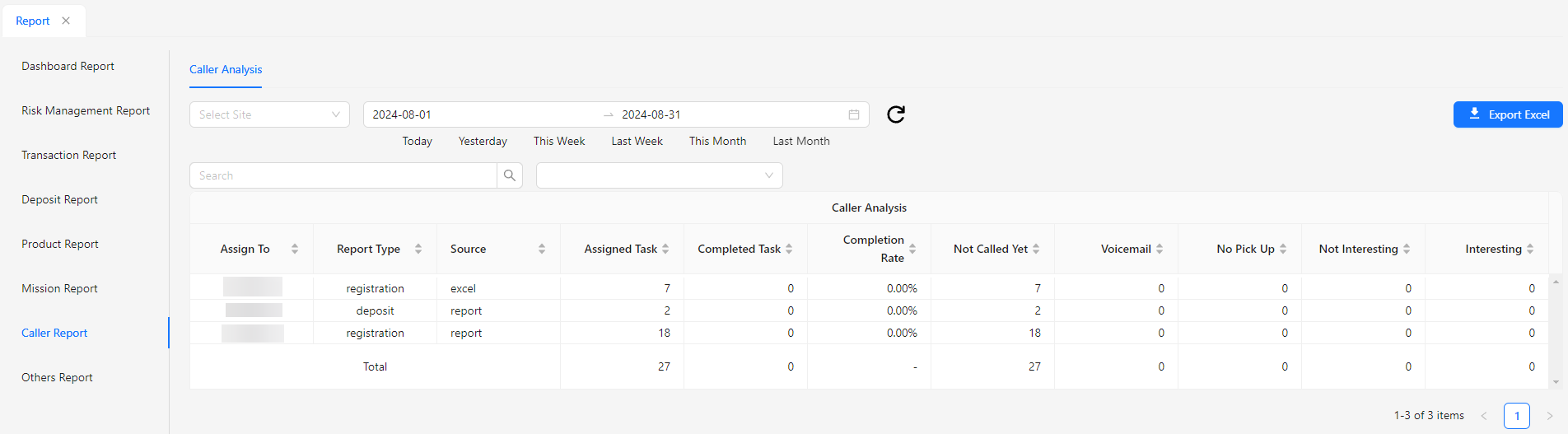
- Caller Analysis: Offers a detailed examination of caller data, including call frequency, duration, and outcomes, to evaluate caller behavior, improve service quality, and identify trends or issues.
Others Report
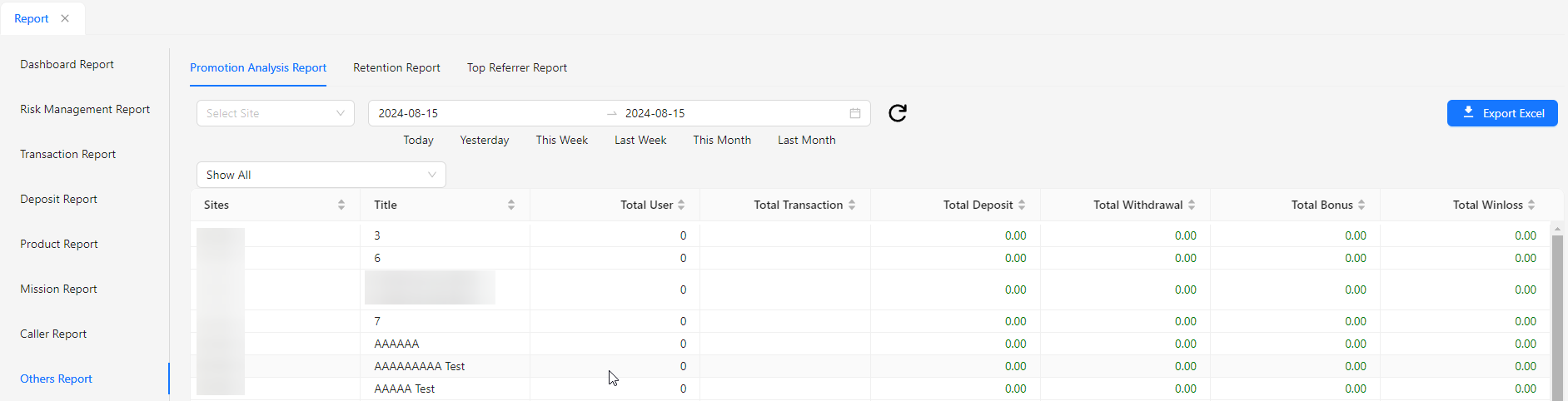
- Promotion Analysis Report: Provides a detailed evaluation of promotional activities, including their effectiveness, impact on sales or engagement, and overall performance metrics.
- Retention Report: Analyzes user retention rates and patterns, helping to understand how well users are being retained over time and identify strategies to improve user loyalty.
- Top Referrer Report: Highlights the top referrers who have driven the most successful referrals, showing their impact on new user acquisition and overall referral performance.