View Rank Rate
The View Rank Rate section allows you to manage and configure rank rate settings for your application. This feature is designed to help you efficiently handle various rank rates, including adding new rates and editing existing ones in inline edit mode.
Toolbar

- Create: Allows you to create the rank rate for specific products. 🔗
View Rank Rate
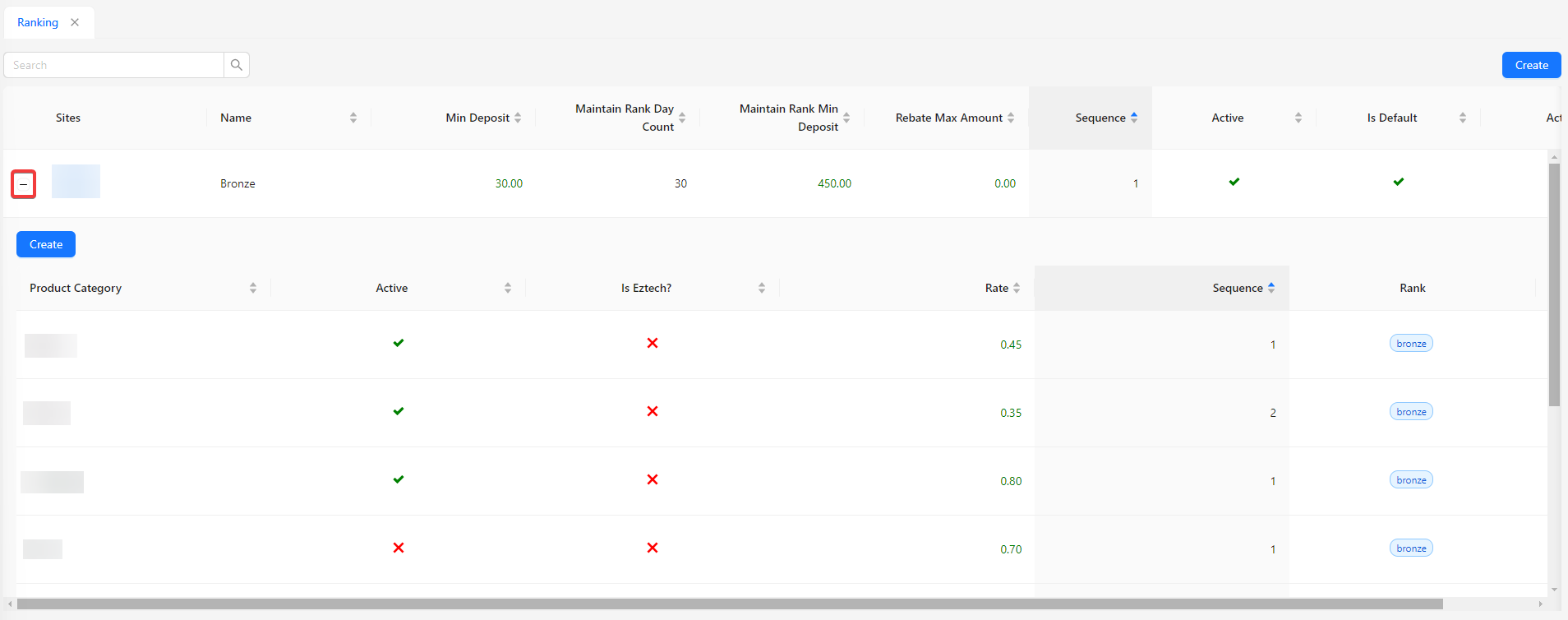
The listing fields for rank rates include:
- Product Category: Displays the category of the product associated with the rank rate.
- Active: Indicates whether the rank rate is active or inactive.
- Is Eztech?: Shows if the product is part of the Eztech category.
- Rate: Displays the rate associated with the ranking.
- Sequence: Shows the order in which the rank rate appears.
- Rank: Displays the ranking to which the rate applies.
Each rank rate is expandable for individual rankings, allowing you to create and manage rank rates for products.