Footer Menu
The Footer Menu section allows you to customize and manage the footer menu of your site. Configure the appearance and links of menu items to align with your site's branding and navigation needs.
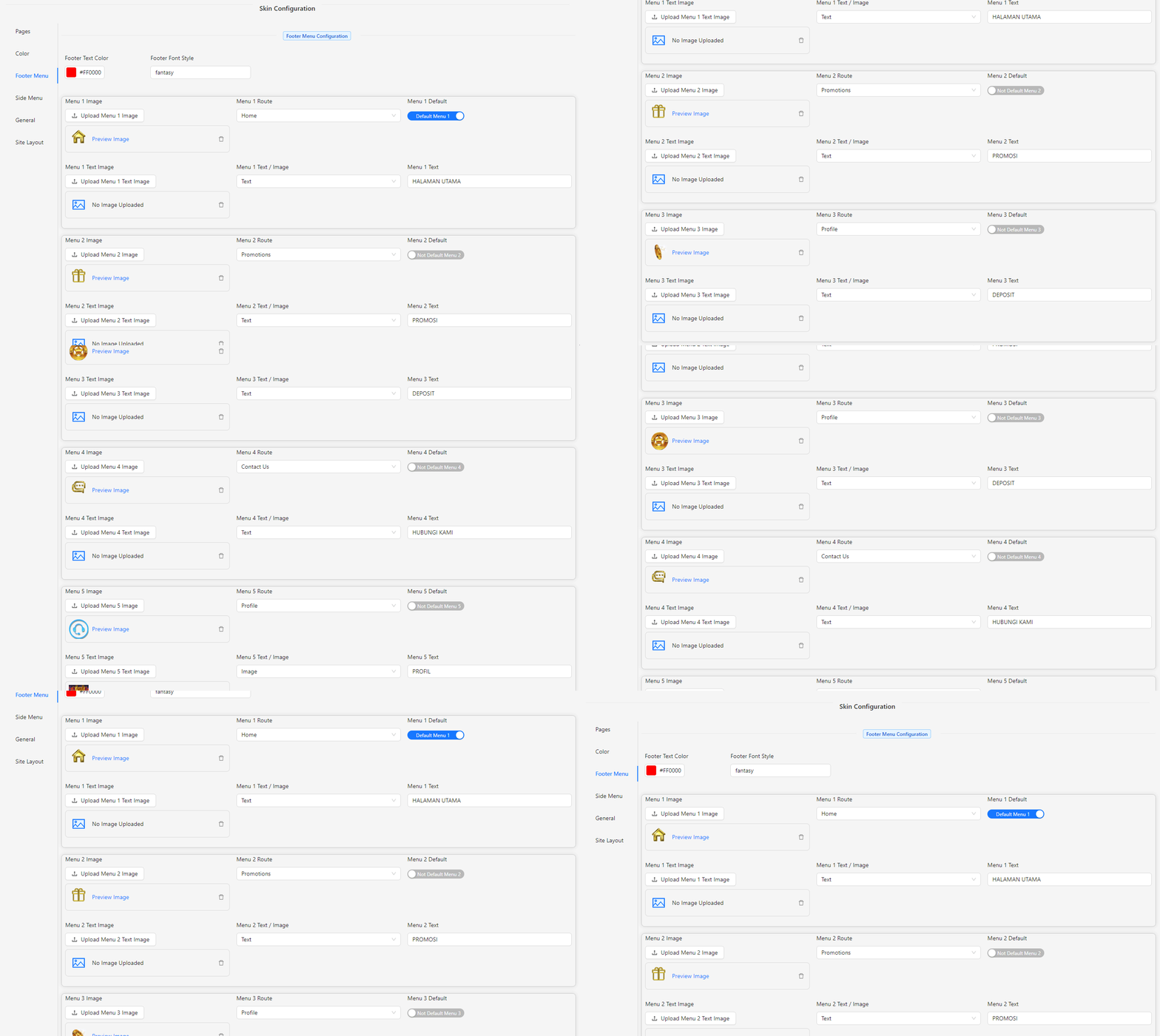
- Footer Text Color: Choose the color for the text in the footer menu.
- Footer Font Style: Input the font style for the text in the footer menu.
- Menu 1 Image: Upload an image for the first menu item.
- Menu 1 Route: Select the route for the first menu item from the available options:
- Home
- Promotion
- Deposit
- History
- Contact Us
- Profile
- Subline
- Rewards
- Menu 1 Default: Enable this option to set the first menu item as the default.
- Menu 1 Text Image: Upload an image for the text of the first menu item if applicable.
- Menu 1 Text / Image: Choose whether the first menu item will display as text or an image.
- Text
- Image
- Menu 1 Text: Input the text for the first menu item if you selected "Text."
Note: You can configure up to five menu items following the same format as Menu 1.