Side Menu
The Side Menu section allows you to customize the appearance and functionality of the side menu on your site. This section provides options for managing the display, positioning, and styling of the side menu to ensure it meets your design and usability requirements.
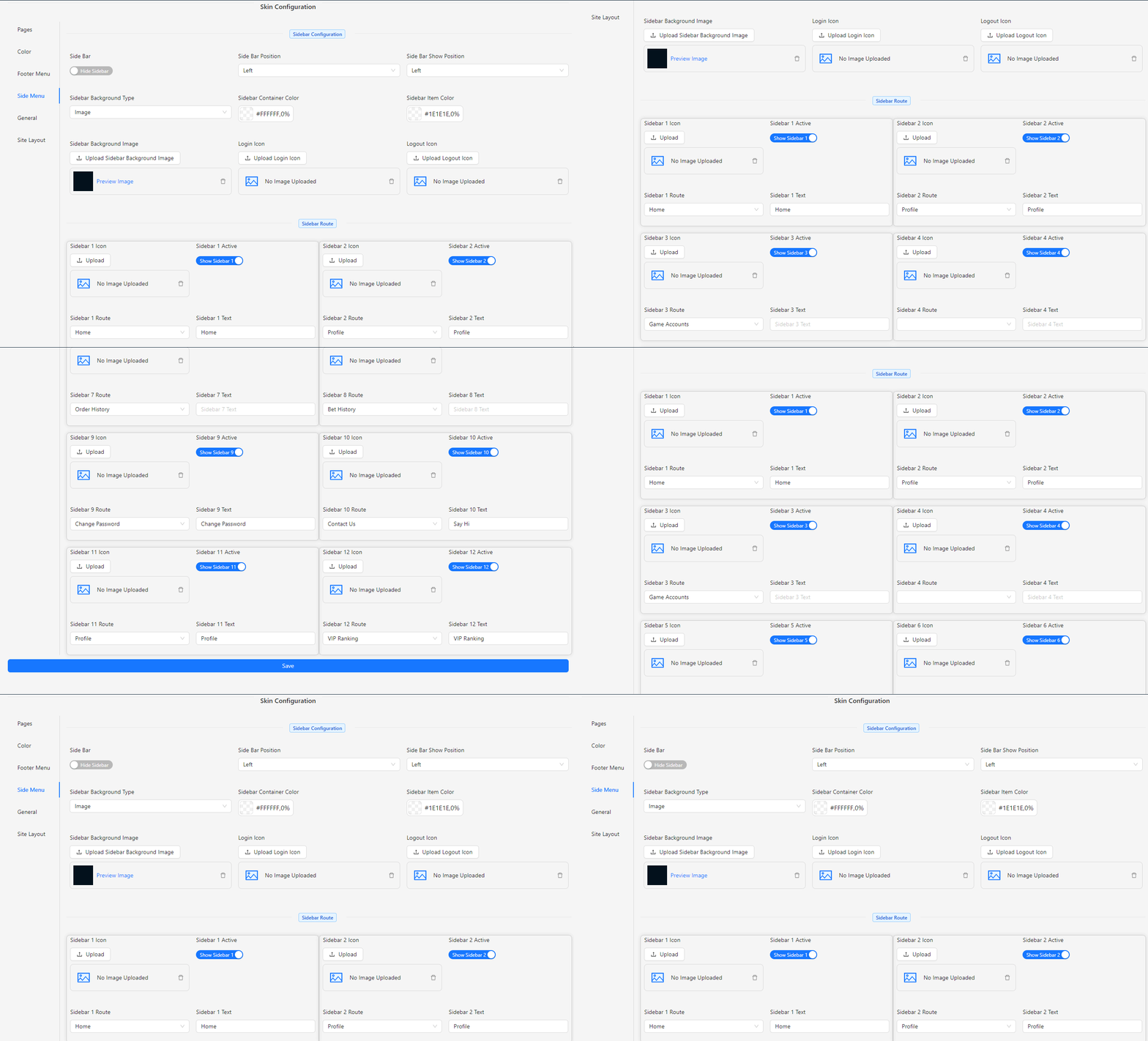
- Side Bar: Toggle to show or hide the side menu.
- Side Bar Position: Choose the position of the side menu.
- Left
- Right
- Side Bar Show Position: Select which side of the page the menu is displayed on.
- Left
- Right
- Sidebar Background Type: Select the type of background for the sidebar.
- Image
- Text
- Sidebar Container Color: Choose the color for the sidebar container.
- Sidebar Item Color: Choose the color for sidebar items.
- Sidebar Background Image: Upload an image for the sidebar background.
- Login Icon: Upload an image for the login icon.
- Logout Icon: Upload an image for the logout icon.
- Sidebar 1 Icon: Upload an image for Sidebar 1.
- Sidebar 1 Active: Toggle to show or hide Sidebar 1.
- Sidebar 1 Route: Select the route for Sidebar 1.
- Home
- Profile
- Promotion
- Game Account
- Bank Account
- Deposit
- Withdrawal
- Order History
- Bet History
- Change Password
- Contact Us
- Referral System
- VIP Ranking
- Sidebar 1 Label: Input the label name for Sidebar 1.
Note: **Repeat the above fields for up to 12 sidebar items.